
Best external Blu-ray DVD burner
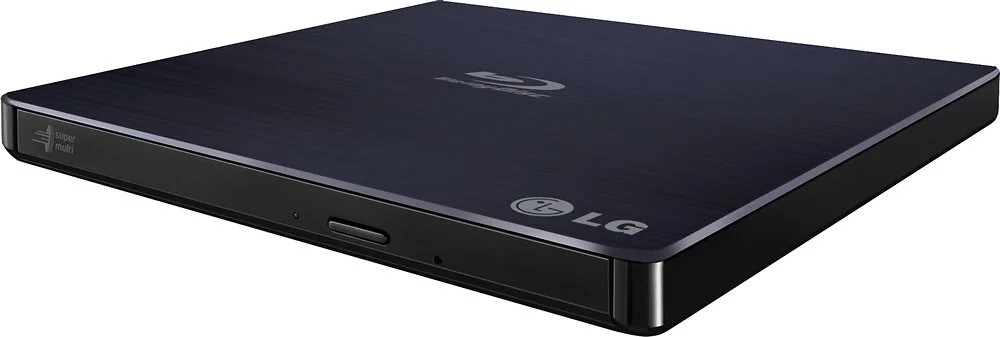
In a quest of trying to find the best external Blu-ray and DVD burner, I came up with the LG - 8x External USB 2.0 Blu-ray Disc Double-Layer DVD±RW/CD-RW Disc Rewriter from Best Buy. Recently, I had a project that required me to deliver DVDs to a client, and I was in-between equipment to be able to burn DVDs. I had a custom PC build that had an internal disc writer and works great, but I sold it around the time I needed to use the drive. So, that put me in a bind and long story short; I wanted to help you find a good working disc burner to save you the trouble I went through during this process.
My Experience To Learn From
After a bunch of research I ended up buying the OWC Mercury Pro 16X Blu-ray, 16X DVD, 48X CD Read/Write solution. There were some excellent reviews, and the specs looked nice too. Everything was going well while burning a few DVDs, but then I started getting errors. I was using Wondershare DVD Creator for this go-round.
Software
In the past, I used Mediazilla's disc burner program, but it is a subscription service that I canceled a while back because I did not need the services. The program worked like a charm, but I didn't want to have to resubscribe to use the service. Therefore, I searched for an alternative program and decided to give Wondershare a try. It's only $50 for a lifetime license. The program worked only when using the quick burn option. Anytime I tried to make a menu or customize the DVD; it would fail. SO, I was like as long as I can burn the film onto the DVD, it will be fine. Or so I thought......a few discs in, I started getting error messages. I thought it was the software so I emailed Wondershare and said there is a new version, and I downloaded it once they responded. Being that I was on a time crunch, I bit the bullet and resubbed to Mediazilla to get the software that worked for sure. Or so I thought...
Hardware
Now that I have used two software programs to burn these discs, used two types of computers, it had to be the hardware and not the software. I tried to burn the discs using both Mediazilla (by the way, was able to make a custom menu screen and looks so lovely) and Wondershare, on a gaming PC and Macbook 12. I had all the requirements as far as specs go, so I had one last troubleshooting attempt before I was going to have to give up on burning any more discs, and that was to get another drive.I hopped on BestBuy.com to see what was in stock in my local store and saw there were a few options. Usually, I would buy online, order to pick up, but I wanted to see in person to look over my options. I chose to go with the LG drive.To my surprise and relief, the lower specs and price worked like a charm. No issues at all. Used both Mediazilla and Wondershare to test and both worked. Mind that I am still not able to make a custom menu with Wondershare, so I am going to have to contact them again.
***PLOT TWIST***
I was talking to my friend, who happens to be my pastor, and he informs me there is a ten-disc ripper at the church... We spent a solid three days burning 63 DVDs and 6 Blu-rays before finding out the time/headache saving device."Live and learn."If you only need to burn a few discs, get this LG one HERE.